
Website

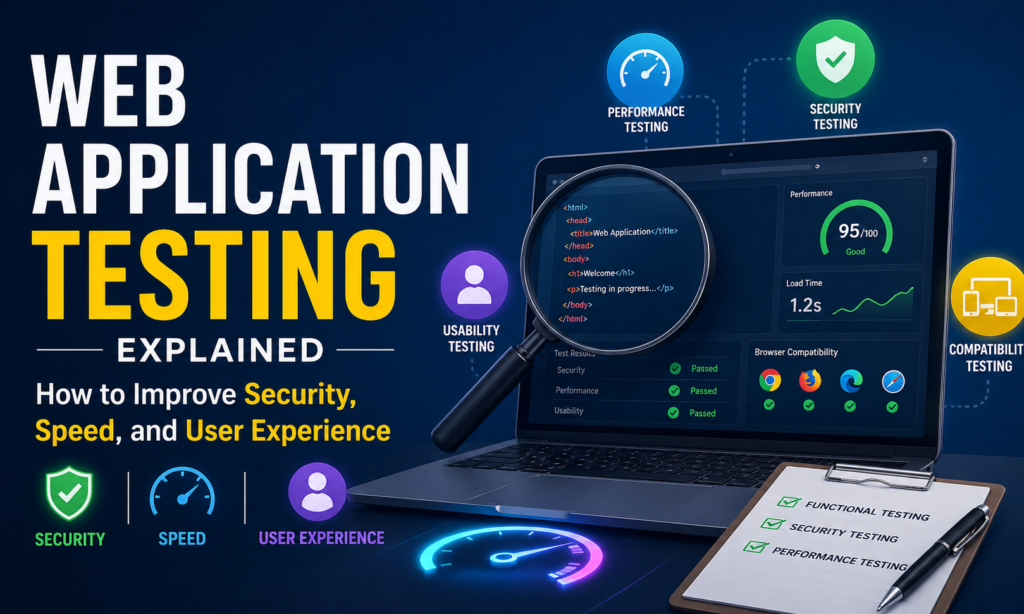
Web Application Testing Explained How to Improve Security, Speed, and User Experience
Website

Web Application Testing Explained: How to Improve Security, Speed, and User Experience

A slow, insecure, or buggy web application doesn’t just frustrate users—it quietly destroys trust, revenue, and brand reputation. One small glitch can push a potential customer straight into the arms of a competitor. This is where Web Application Testing becomes essential. It’s not just a technical step in development—it’s a continuous process that ensures your application is secure, fast, and user-friendly in real-world conditions. In this guide, you’ll learn how Web Application Testing improves performance, strengthens security, and enhances user experience using practical strategies, tools, and proven methods. What is Web Application Testing? Web Application Testing is the process of evaluating a web application for functionality, security, performance, usability, and compatibility before it reaches users. It ensures the application works correctly across different browsers, devices, and operating systems while protecting it from vulnerabilities and performance issues. Key objectives of Web Application Testing: Detect bugs before users encounter them Improve website performance and loading speed Strengthen security against cyber threats Ensure smooth user experience (UX) Validate compatibility across platforms Why Web Application Testing Matters More Than Ever Modern users expect instant, seamless digital experiences. Even a 2–3 second delay in page loading can significantly increase bounce rates. Key reasons testing is critical: Security threats are increasing daily User expectations are higher than ever Competition is just one click away Mobile and cross-device usage is dominant SEO rankings depend heavily on performance Real-world insight: Research shows that 53% of users abandon a website if it takes longer than 3 seconds to load. That alone makes performance testing non-negotiable. Types of Web Application Testing To fully understand Web Application Testing, it’s important to break it into key categories. 1. Functional Testing (Does it work correctly?) Functional testing ensures every feature works as expected. Example: Login system works properly Forms submit data correctly Payment gateway processes transactions Key checks: User registration flow Navigation links API responses Database interactions 2. Performance Testing (Is it fast enough?) Performance testing evaluates how your application behaves under different loads. Secondary keyword: web performance testing Includes: Load testing Stress testing Spike testing Key goal: Ensure the system remains stable even during traffic surges. 3. Security Testing (Is it safe?) Security is one of the most critical aspects of Web Application Testing. Secondary keyword: web application security testing Tests include: SQL injection prevention Cross-site scripting (XSS) protection Data encryption checks Authentication security Why it matters: A single vulnerability can lead to data leaks, financial loss, and brand damage. 4. Usability Testing (Is it user-friendly?) This focuses on how easy and intuitive the application is for users. Key areas: Navigation simplicity UI design clarity Mobile responsiveness User journey flow 5. Compatibility Testing (Does it work everywhere?) Ensures the application runs smoothly across: Browsers (Chrome, Firefox, Safari) Devices (mobile, tablet, desktop) Operating systems (Windows, macOS, Android, iOS) Web Application Testing Process (Step-by-Step Guide) A structured approach ensures better results and fewer errors. Step 1: Requirement Analysis Understand: Business goals User expectations Technical requirements This step sets the foundation for all testing activities. Step 2: Test Planning Create a clear roadmap: What will be tested Which tools will be used Timeframe and resources Step 3: Test Case Development Write detailed test cases for: Login systems User flows API responses UI components Step 4: Environment Setup Prepare testing environments that mirror real-world conditions. Step 5: Test Execution Run tests and identify: Bugs Performance issues Security gaps Step 6: Reporting & Fixing Document all issues clearly and send them to developers for fixes. Step 7: Retesting & Regression Testing Ensure fixes don’t break existing features. Best Tools for Web Application Testing Using the right tools makes testing faster and more accurate. Popular tools include: Selenium – Automation testing JMeter – Performance testing Burp Suite – Security testing Postman – API testing LoadRunner – Load testing How Web Application Testing Improves Security Cyberattacks are becoming more advanced, making testing essential. Key security benefits: Detects vulnerabilities early Prevents data breaches Protects user credentials Ensures secure API communication Example: A poorly tested login system might allow brute-force attacks. Security testing prevents this by identifying weak authentication logic. How It Improves Speed and Performance Speed is a major ranking and UX factor. Secondary keyword: web application performance optimization Testing helps to: Identify slow database queries Optimize server response time Reduce unnecessary scripts Improve caching strategies Key performance metrics: Page load time First contentful paint (FCP) Time to interactive (TTI) How It Enhances User Experience (UX) A smooth user experience leads to higher conversions. Benefits of UX-focused testing: Clear navigation paths Faster interactions Fewer errors and crashes Mobile-friendly design Example: A checkout page with confusing steps can cause cart abandonment. UX testing ensures simplicity and clarity. Common Web Application Testing Mistakes to Avoid Even experienced teams make mistakes. Avoid these errors: Ignoring mobile testing Skipping security tests Testing only in one browser Not doing regression testing Relying only on manual testing Advanced Tips for Better Web Application Testing Here are expert-level strategies: Automate Repetitive Tests Save time using automation tools like Selenium. Use Real Device Testing Emulators are not enough—real devices give accurate results. Test Early (Shift Left Approach) Start testing during development, not after completion. Monitor Real User Behavior Use analytics tools to understand how users interact with your app. Perform Continuous Testing Integrate testing into CI/CD pipelines for ongoing quality control. Web Application Testing Metrics You Should Track To measure success: Bug detection rate Test coverage percentage Page load speed Error frequency User drop-off rate Future Trends in Web Application Testing The future is evolving rapidly. Key trends: AI-powered testing tools Automated test case generation Cloud-based testing platforms Shift-left and DevOps integration Real-time monitoring systems FAQ: Web Application Testing Explained What is Web Application Testing in simple terms? It is the process of checking a web application for bugs, security issues, performance problems, and usability errors before users access it. Why is Web Application Testing important? It ensures your website is secure, fast, and user-friendly, reducing errors and improving customer satisfaction. What tools are used for Web


Why Agile Development Is the Preferred Approach for Modern Projects A Complete Guide for Businesses
Website

Why Agile Development Is the Preferred Approach for Modern Projects: A Complete Guide for Businesses

A single delay in a project can cost a company time, money, and customer trust. Traditional methods often struggle to keep up with fast-changing market demands. This is where Agile Development Is the Preferred Approach for Modern Projects, transforming the way businesses plan, build, and deliver results. Agile is not just a methodology—it is a mindset that prioritizes flexibility, collaboration, and continuous improvement. Businesses across software, marketing, product design, and even operations are shifting toward Agile because it delivers faster results with higher quality. Let’s explore why Agile has become the backbone of modern project success. What Is Agile Development? Agile development is a modern project management and software development approach that focuses on delivering work in small, manageable parts called iterations or sprints. Instead of planning everything upfront, teams continuously adapt based on feedback and changing requirements. Key characteristics of Agile methodology: Iterative development cycles (sprints) Continuous customer feedback Cross-functional teamwork Adaptive planning Fast delivery of working solutions The idea is simple: build, test, learn, and improve continuously. Why Agile Development Is the Preferred Approach for Modern Projects The reason Agile Development Is the Preferred Approach for Modern Projects is simple—modern businesses operate in fast-moving environments where change is constant. Here’s why Agile stands out: 1. Faster Time to Market Agile allows teams to deliver usable product parts quickly instead of waiting months for a final release. This helps businesses: Launch products faster Gain early customer feedback Stay ahead of competitors 2. Better Flexibility and Adaptability Unlike traditional models, Agile embraces change instead of resisting it. If market demands shift or new ideas emerge, Agile teams can easily adjust priorities without disrupting the entire project. 3. Improved Product Quality Since testing happens throughout the development process, issues are identified early. This reduces: Bugs in final products Costly rework Customer dissatisfaction 4. Stronger Collaboration Agile encourages constant communication between developers, designers, stakeholders, and customers. This leads to: Clearer project goals Fewer misunderstandings Better team alignment 5. Customer-Centric Approach Customer feedback plays a central role in Agile. This ensures the final product matches real user needs instead of assumptions. Core Principles Behind Agile Methodology The Agile methodology is based on the Agile Manifesto, which highlights four core values: Individuals and interactions over processes and tools Working software over documentation Customer collaboration over contract negotiation Responding to change over following a fixed plan These principles are what make Agile highly effective in modern industries. Popular Agile Frameworks Used Today Agile is not a single method—it includes multiple frameworks. Each one suits different types of projects. 1. Scrum Framework Scrum is the most widely used Agile framework. It divides work into short cycles called sprints, usually lasting 1–4 weeks. Key roles in Scrum: Product Owner Scrum Master Development Team 2. Kanban Method Kanban focuses on visual workflow management using boards. It helps teams: Track tasks visually Limit work in progress Improve efficiency 3. Lean Development Lean focuses on eliminating waste and maximizing value. It improves productivity by removing unnecessary steps. 4. Extreme Programming (XP) XP is used mainly in software development to improve: Code quality Testing processes Customer involvement Agile vs Traditional Project Management To understand why Agile Development Is the Preferred Approach for Modern Projects, it’s important to compare it with traditional methods. Feature Agile Traditional (Waterfall) Flexibility High Low Delivery Continuous Final stage Customer involvement High Limited Risk level Lower Higher Adaptability Easy Difficult Agile clearly performs better in fast-changing environments. Real-World Example of Agile in Action Imagine a mobile app development project. Traditional approach: Months of planning Full product built before testing Final release after long development cycle Agile approach: Basic version released in weeks Continuous updates based on user feedback Faster improvement and scaling Companies like Spotify, Amazon, and Google use Agile principles to stay competitive and innovative. Benefits of Agile for Businesses Here are the biggest advantages businesses gain from Agile: Increased Productivity Teams focus on smaller tasks, making work more manageable and efficient. Lower Project Risks Continuous testing reduces the chances of major failures. Higher Customer Satisfaction Frequent updates ensure customer needs are met quickly. Better Resource Management Time and budget are used more effectively. Faster Innovation New ideas can be tested and implemented quickly. Challenges of Agile Development Even though Agile is powerful, it is not perfect. Some common challenges include: Requires experienced teams Frequent changes can cause confusion Less predictability in long-term planning Needs strong communication culture However, with proper training and tools, these challenges can be managed effectively. Best Practices for Implementing Agile Successfully To make Agile work in your organization, follow these tips: 1. Start with Proper Training Ensure your team understands Agile principles clearly. 2. Use the Right Tools Tools like Jira, Trello, or Asana help manage Agile workflows efficiently. 3. Focus on Communication Daily stand-ups and regular meetings keep everyone aligned. 4. Prioritize Tasks Wisely Always work on high-value features first. 5. Continuously Improve Agile is about learning—review each sprint and improve. Featured Snippet Insight Why is Agile Development preferred in modern projects? Agile is preferred because it allows faster delivery, better adaptability to changes, improved collaboration, and higher product quality through continuous feedback and iterative development. Suggested Image Ideas for Each Section Agile team brainstorming in office Scrum board with sticky notes Software developers working in sprints Flowchart comparing Agile vs Waterfall Customer feedback loop diagram Internal Linking Ideas (for your website) Link to: “Project Management Best Practices” Link to: “Software Development Lifecycle Explained” Link to: “Scrum vs Kanban Comparison Guide” Link to: “How to Improve Team Productivity in IT Projects”   Frequently Asked Questions (FAQ) 1. What makes Agile better than traditional project management? Agile is more flexible, allows continuous feedback, and delivers results faster compared to rigid traditional methods. 2. Is Agile only used in software development? No, Agile is also used in marketing, product design, business operations, and many other industries. 3. What are the main Agile frameworks? The most popular frameworks include Scrum, Kanban, Lean, and Extreme Programming (XP). 4. How long is an Agile

Content Wrinting
Website

Website Cost Calculator – Estimate Your Website Design Price Instantly

Estimating the cost of building a website can feel overwhelming due to the many factors involved. From design choices and features to the type of development team you hire, prices can differ significantly. That’s why tools like a website cost calculator have become essential for businesses, freelancers, and startups looking for a fast and reliable way to predict their website budget before getting started. This article explains how a website cost calculator works, what factors affect pricing, and why using such a tool can help you plan your budget more effectively. What is a Website Cost Calculator? A website cost calculator is an online tool that helps you estimate the total cost of designing and developing a website. Instead of guessing or relying on unclear quotes, you can input your requirements and get a realistic price range instantly. The calculator works by analyzing different factors such as: Website type Design complexity Features and functionality Number of pages Development team Ongoing services Based on your selections, it generates an estimated cost tailored to your needs. Why You Should Use a Website Cost Calculator Planning a website without knowing the cost can lead to overspending or poor decisions. A website calculator helps solve this problem by providing clarity. Instant Cost Estimation You can get a price range within seconds without contacting multiple agencies. Better Budget Planning It helps you understand how much you need to invest before starting your project. No Guesswork Instead of random estimates, you get data-driven pricing based on real factors. Compare Different Options You can adjust features and instantly see how they affect your total cost. Key Factors That Affect Website Cost Website pricing depends on several important elements. Understanding these will help you use the calculator more effectively. Website Type The type of website you choose plays a major role in cost. One-page website: Simple and budget-friendly Business website: Moderate cost with essential features E-commerce website: Higher cost due to payment systems Enterprise website: Most expensive with advanced features More complex websites require more time, resources, and development effort. Design Complexity Design quality directly impacts pricing. Template design: Cheapest option Semi-custom design: Balanced cost and branding Fully custom design: Premium and unique Custom designs require more work from designers and developers, increasing the overall cost. Features and Functionality Adding features increases both value and cost. Common features include: Contact forms Blog or CMS Booking systems Payment gateways User login systems API integrations Each feature requires additional development and testing, which affects pricing. Number of Pages The more pages your website has, the higher the cost. For example: 5 pages = basic business site 20+ pages = content-heavy website 50 pages = large platform or eCommerce store More pages mean more design, development, and content creation work. Development Team Who builds your website also impacts the cost. DIY builders (like Wix) – cheapest Freelancers – moderate pricing Agencies – higher cost but better quality Choosing the right team depends on your budget and project requirements. Ongoing Costs Website expenses don’t stop after launch. You also need to consider: Hosting Maintenance SEO and marketing These ongoing services are essential for long-term success and performance. Typical Website Cost in 2026 Website costs can vary widely depending on complexity. Basic website: $100 – $2,500 Small business website: $2,000 – $8,000 E-commerce website: $5,000 – $25,000 Custom enterprise website: $25,000 – $100,000+ In some cases, a full project estimate can range between $4,500 and $11,700 depending on selected features and scope. How to Use a Website Cost Calculator Effectively To get the most accurate estimate, follow these steps: Select the correct website type Choose your preferred design style Add only necessary features Set the number of pages realistically Choose your development team Include ongoing services By carefully selecting each option, you’ll get a realistic estimate that matches your project. Benefits for Businesses and Freelancers Website cost calculators are useful for both clients and developers. For Businesses: Helps avoid overpaying Makes budgeting easier Improves decision-making For Freelancers/Agencies: Saves time on quoting Educates clients Builds trust with transparent pricing Future of Website Pricing Tools As technology evolves, website calculators are becoming smarter and more accurate. Many tools now include real-time data, advanced customization, and even ROI predictions. Interactive tools like these also increase user engagement and help businesses attract more leads by offering value upfront. Conclusion A website cost calculator is a powerful tool that simplifies one of the most confusing parts of building a website—pricing. By using tools like the Website Cost Calculator, you can quickly estimate your website design cost, compare options, and plan your budget with confidence. Whether you are a startup, small business, or enterprise, understanding your website cost before starting the project will help you make smarter decisions and achieve better results.

Scroll to Top